
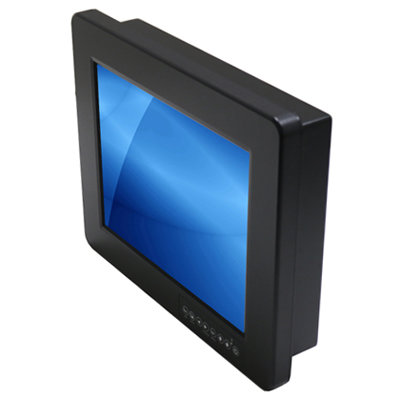
How an industrial computer is mounted affects its thermal performance, accessibility, serviceability, and environmental protection. Choosing the wrong mounting method can lead to overheating, difficult maintenance, or failed environmental seals.
DIN Rail Mounting
What it is: A standardized metal rail (35mm wide) used universally in control cabinets and electrical panels.
Best for: Compact embedded PCs, IoT gateways, protocol converters, and edge computing devices deployed in control cabinets alongside PLCs and terminal blocks.
Advantages:
- Tool-free snap-on installation
- Standardized across all manufacturers
- Space-efficient in control cabinets
- Easy to add/remove/rearrange devices
Considerations:
- Limited to smaller, lighter computers
- Vertical orientation preferred for thermal performance
- Ensure adequate spacing between devices for airflow
VESA Mounting
What it is: A standardized hole pattern (75x75mm or 100x100mm) on the back of the device for arm, wall, or behind-display mounting.
Best for: Panel PCs behind monitors, digital signage players, POS systems, and thin clients.
Advantages:
- Universal compatibility with monitor arms and wall brackets
- Hides the computer behind a display for clean installation
- Adjustable positioning with articulating arms
- Standard across the display industry
Considerations:
- Weight limits vary by VESA bracket
- Ensure the bracket doesn't block ventilation fins on fanless systems
- Cable management may require additional accessories
Rack Mounting (19-inch)
What it is: Standard 19-inch wide rack mounting in server cabinets, typically measured in rack units (1U = 1.75 inches).
Best for: Server rooms, control rooms, mobile command centers, and any application requiring multiple computing devices in a centralized, organized installation.
Advantages:
- High density — many systems per rack
- Organized cable management
- Standardized power distribution
- Physical security (lockable cabinets)
- Slide-out rails for easy maintenance
Considerations:
- Requires rack cabinet infrastructure
- Front-to-back airflow management important
- Weight capacity of rack rails
- Acoustic noise in rack environments
Panel Mounting
What it is: The device mounts into a cutout in an enclosure panel, machine housing, or console. The front bezel seals against the panel surface.
Best for: Panel PCs and industrial monitors that serve as operator interfaces on machines, enclosures, or control consoles.
Advantages:
- Sealed front surface (IP65-IP69K)
- Clean, professional appearance
- Protected from rear-side environmental exposure
- Direct operator access to the touchscreen
Considerations:
- Requires precise cutout dimensions
- Adequate depth behind the panel for the device and cables
- Rear access needed for maintenance and connections
Choosing the Right Mounting Method
| Application | Recommended Mounting |
|---|---|
| Control cabinet gateway | DIN Rail |
| Behind-monitor kiosk | VESA |
| Server/control room | Rack Mount |
| Machine operator interface | Panel Mount |
| Digital signage | VESA or Panel Mount |
| Vehicle computer | Custom bracket (vibration-isolated) |
| Outdoor enclosure | Panel Mount (sealed) |
Acnodes Corporation offers industrial computers in all major mounting configurations. Contact us for help selecting the right form factor and mounting option for your installation.